SUMMARY
Role
Character Artist
Intention (SMART Goal) for the Session
By March 1, as part of TEAM 2 as a Character Artist, I will have evidence of creating sprites that contrast but fit with the background by following This playlist by James Brandon Greer for Session 4.
PRE-PRODUCTION – INQUIRY
Leader(s) in the Field / Exemplary Work(s)
Primary Source

Cover art from the 2018 video game Celeste
Secondary Source
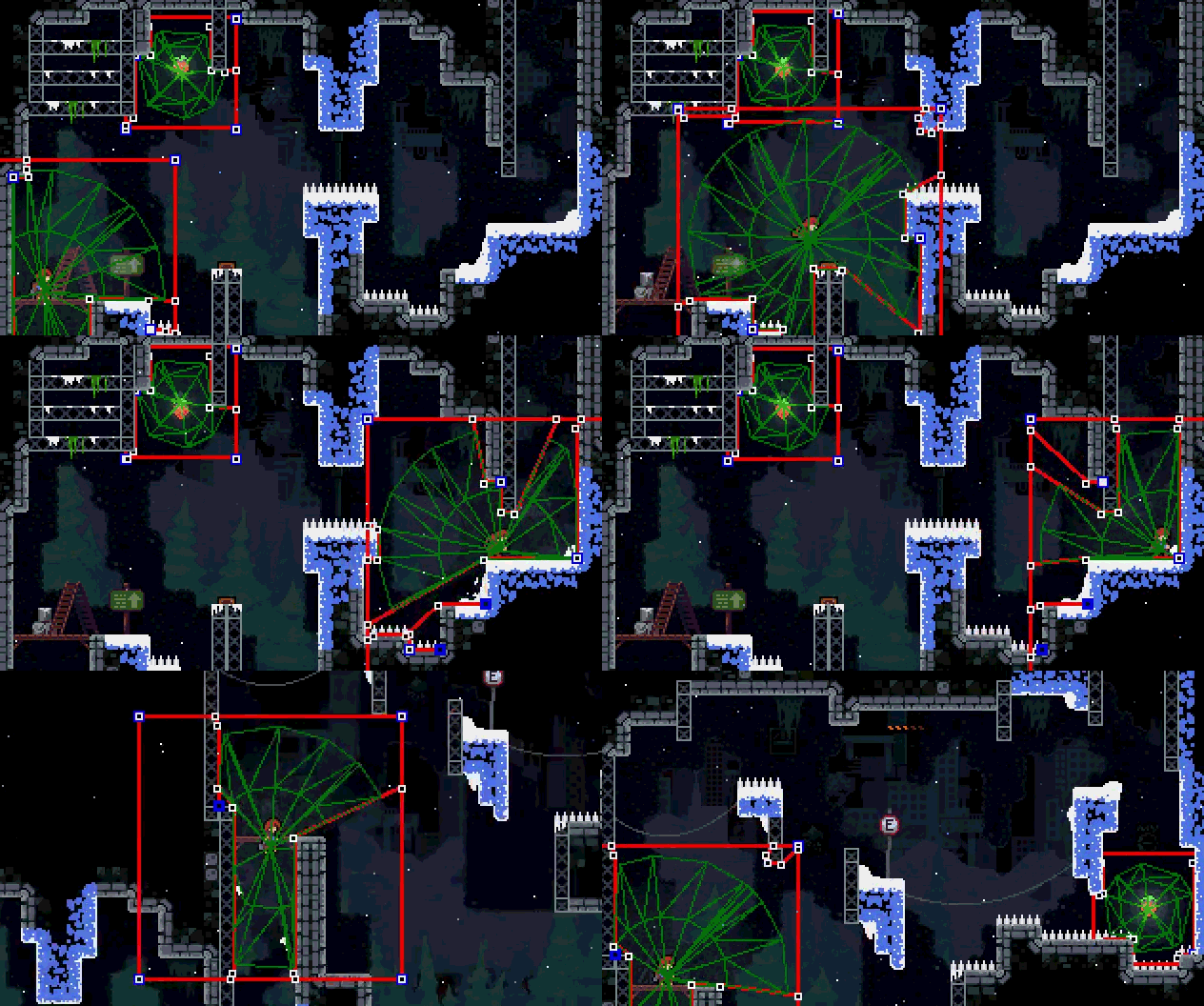
Image from https://noelberry.ca/posts/celeste_lighting/index.html
In this site, Noel Berry, one of the lead designers for the game Celeste, talks about using lighting for Celeste. This was interesting to me because it seemed daunting to Noel at first, but he found creative solutions. He started with a lighting mesh but realized it would be too GPU-intensive. He then thought of cut-outs, which take a central spotlight and cut out parts of it according to objects nearby. He then implemented single-channel lighting, which optimized the texture and allowed him to put all four channels (Red, Green, Blue, and Alpha) into one texture, enabling him to use lighting as a mask over the game. He quickly realized how visually small Celeste was, running at 320×180, and threw every light into the game in a 2048×2048 texture area, with each channel being 256×256, 64 grid spaces could be made, allowing 256 lights on a single, big texture at the same time.
Training Source(s)
- 0:34 Talks about doubles
- 0:59 Pixel perfect setting
- 1:45 Jaggies
- 2:25 Pixel angles
- 2:54 Joining angles
- 3:21 Curved lines
- 3:47 Jaggies in curves
- 4:03 How to make a smooth curve
- 4:29 Sharpness of curves
- 4:54 Overall takeaway
- 5:25 Circle jaggies
- 1:59 What to look for in video game art
- 2:04 What consistency means
- 3:01 Restrictions of consistency
- 3:19 How to flip all expectations/consistency despite increasing quality (Example with “Badeline”)
- 3:38 Standard expectations getting flipped for a character in a way that makes sense
- 4:07 Limitless creativity in limits
- 4:48 Readability/contrast and why it is important
- 5:15 Example of how readability and contrast are a challenge
- 5:39 Flavors of contrast
- 5:55 Color contrast
- 6:30 How outline helps
- 6:49 Importance of showing what the player did
- 7:26 Evolution of game limitations
- 8:21 How Celeste incorporates modern technology into its style via lighting
- 9:13 Why lighting plays a huge role in Celeste
- 9:59 The large difference small sprite tweaks make in a game
Project Timeline
Pre-production Milestones
- Complete the Trello-board
- Finish pre-production blog post
- Discuss with the team for what large design choices will be made
Production Milestones
- Begin work on the game
- Create a prototype while updating the Trello-board
- Tweak the final product for it to be finished
Post-production
- Upload the final product to Itch
- Create the slideshow for the game
- Complete the blog post and present
Proposed Budget
A budget will be completed during Session 5, 2024
Evidence of Team Planning and Decisions

- Trello Board
- We lack a Storyboard, but have demo pixel art of things planning to be used in the game. All of them are on Gavin’s computer.
PRODUCTION – ACTION
The (FILM, SOUND, or GAME Creation)
This is our game, Project Rhythm. It is a rhythm game with one song, and the controls are Z for left, X for up, Comma for down, and Slash for right.
Skills Commentary
The things I have done are in the credits section within our game.
POST-PRODUCTION – REFLECTION
21st Century Skills
Ways of Thinking (Creativity, Innovation, Critical Thinking, Problem Solving)
Whenever there was a problem in the team, I attempted to troubleshoot, whether it be looking it up or tinkering with my own creative fixes. This forced me to use critical thinking in how I approach creating the game with my team, and made myself more innovative in the process by using the limited knowledge I had to make a functioning charting system.
Ways of Working (Communication & Collaboration)
With our team not having a great way of communication outside of school (To our own fault), collaboration within our time limits was necessary. Whenever we were in class, we constantly asked each other what we thought of this sprite, how we wanted to chart this section, and what we could do at home.
Tools for Working (Info & Media Literacy)
If there was ever a roadblock in development, I would use common media to find a solution. If none were found, piecing together information to construct something always got me what was needed. When making a sprite, watching a lighting tutorial was the way to go, as it helped my art stand out from the background.
Ways of Living in the World (Life & Career)
Personally, this session helped me develop more work ethic, along with reminding co-workers to get work done. It also helped me with communicating ideas to the team, along with forcing me to problem-solve in development.
Reactions to the Final Version
Nellie: “So the controls are the arrow keys, right?” This reaction was important for our team due to the controls not being the arrow keys, but instead were Z, X, Comma, and Slash. This event communicated to us that we need to make the control scheme clearer than writing them in the description, where most people won’t notice how to play the game.
Leon: “Is the music supposed to sync up with the notes?” This gave us the impression that we might have spammed too many notes, making it impossible to clear up what was synced to the music or not.
Self-Evaluation of Final Version
In contrast to the previous games I have developed or been a part of, I am quite impressed with what this team accomplished, even if it wasn’t fully done. I feel that if we had more time, skill, and motivation, we could have made a gem of a Construct 3 game.
Grammar and Spelling
Grammarly
Editor
Gavin